Alexa Integration
This page explains how to connect your MOCREO Smart System with Amazon Alexa.
Prerequisites
- Ensure your MOCREO Smart app is updated to v1.3.0 or later.
- Your Hub and Sensors must be online and successfully set up in the MOCREO Smart App.
- The MOCREO Alexa Skill is currently available in the United States region only.
Integration Steps
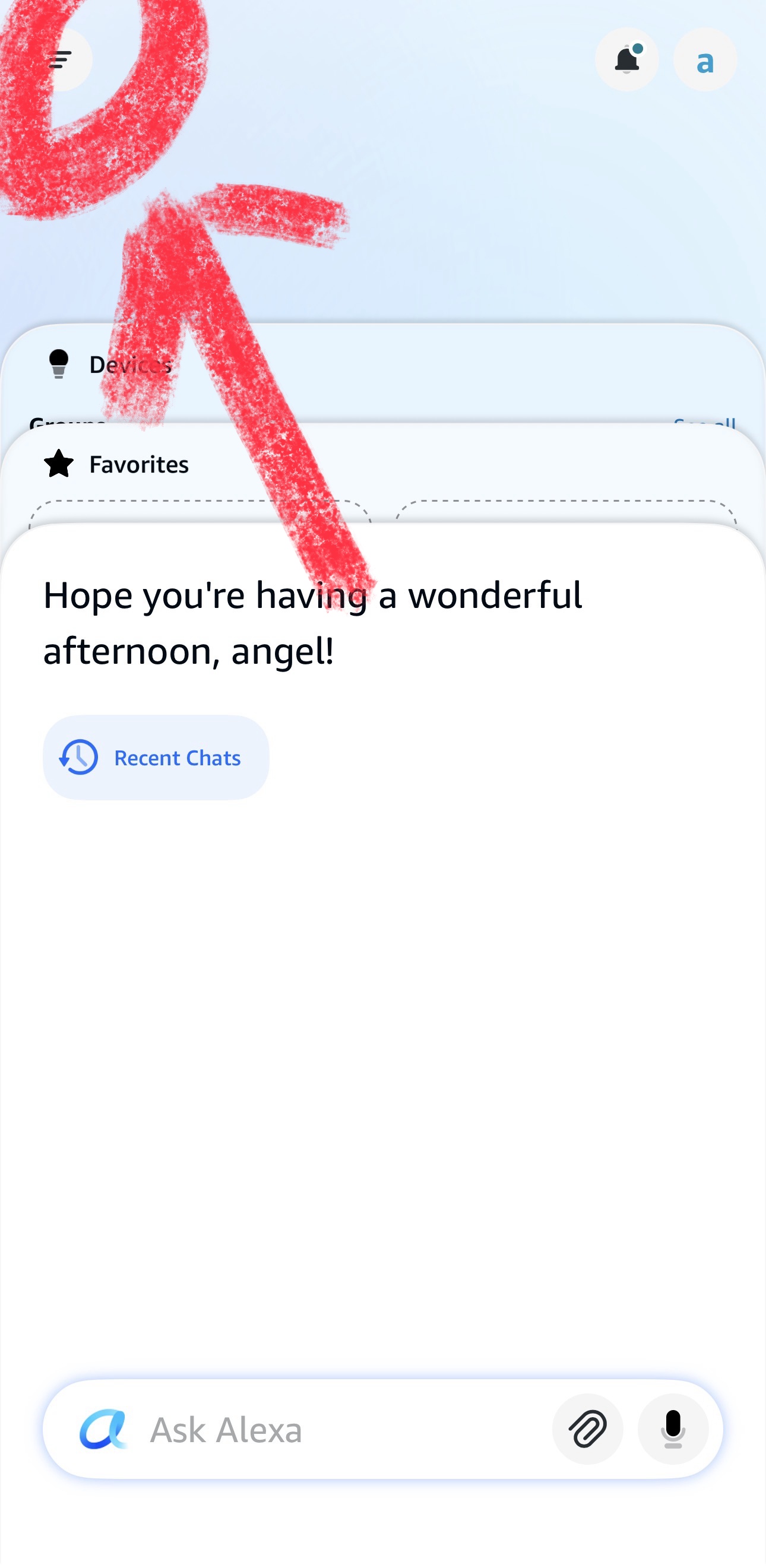
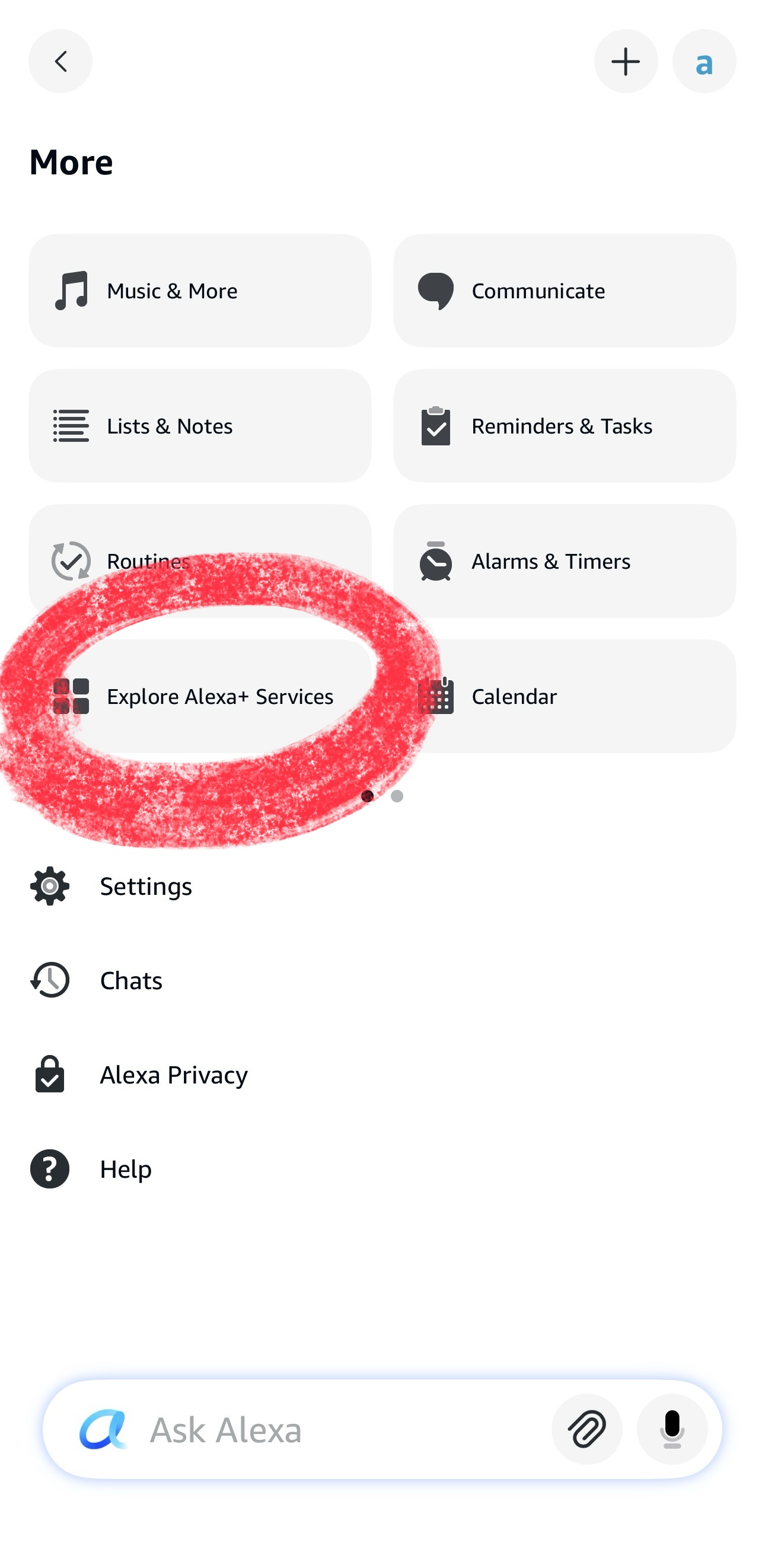
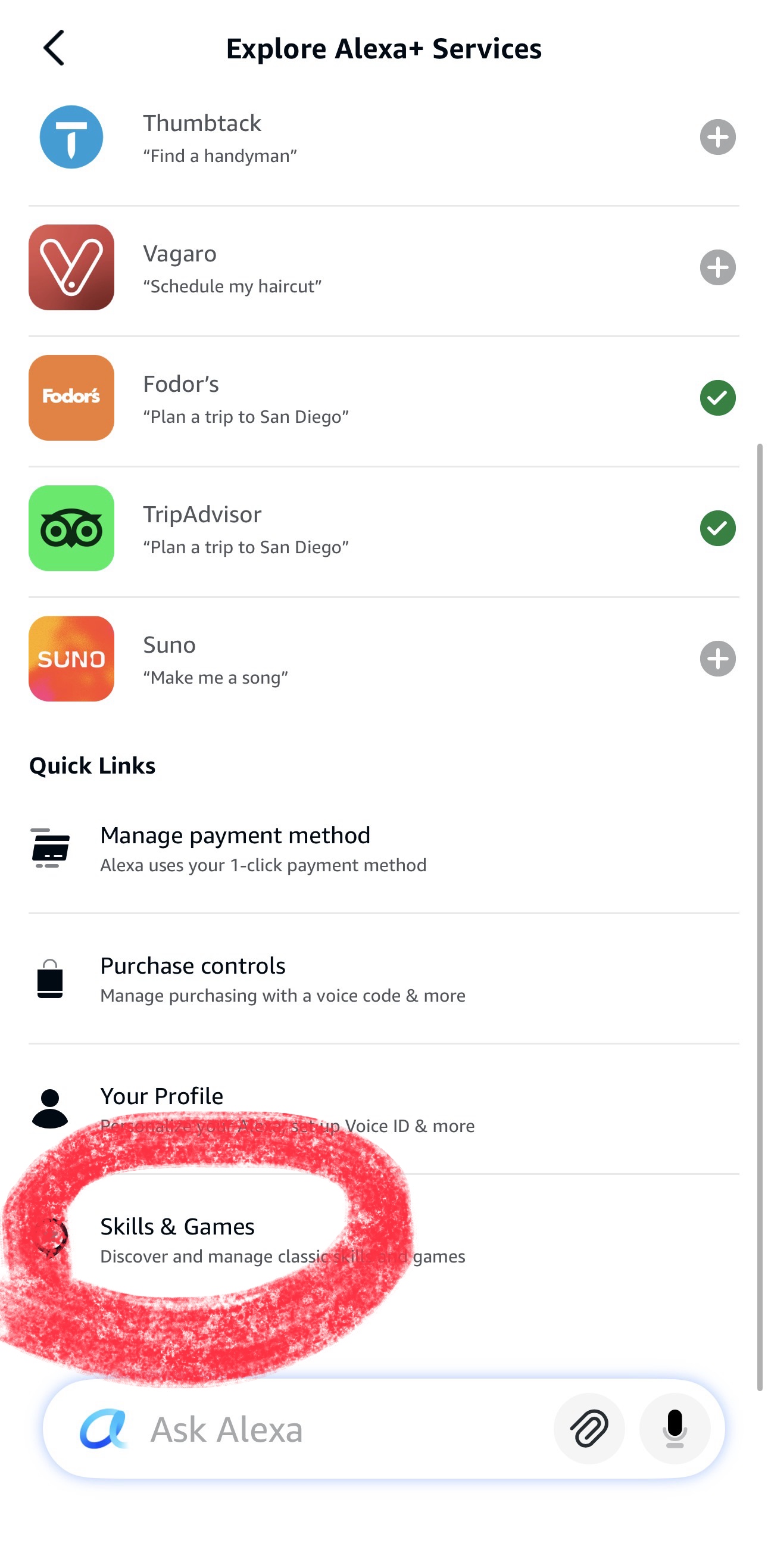
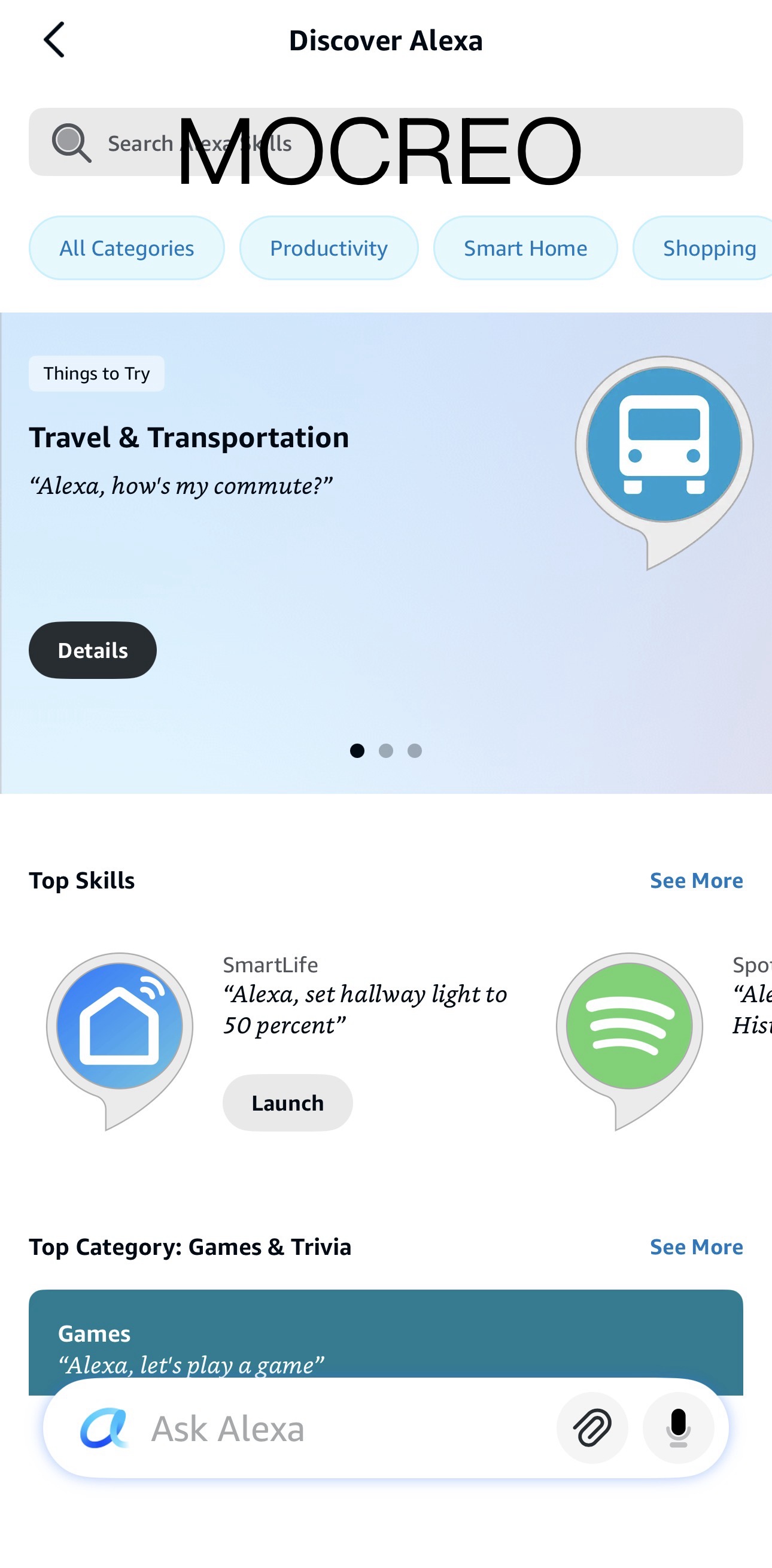
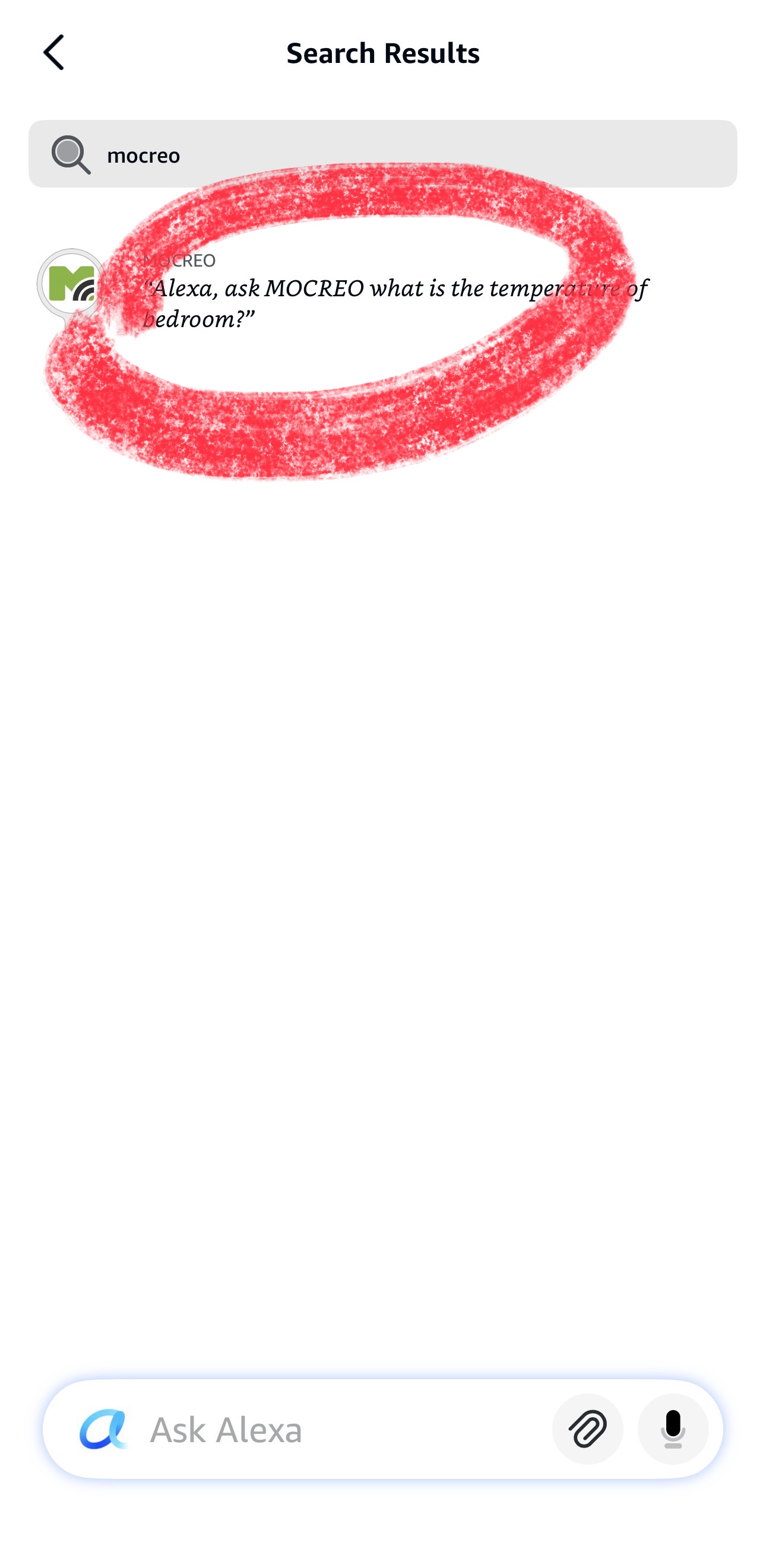
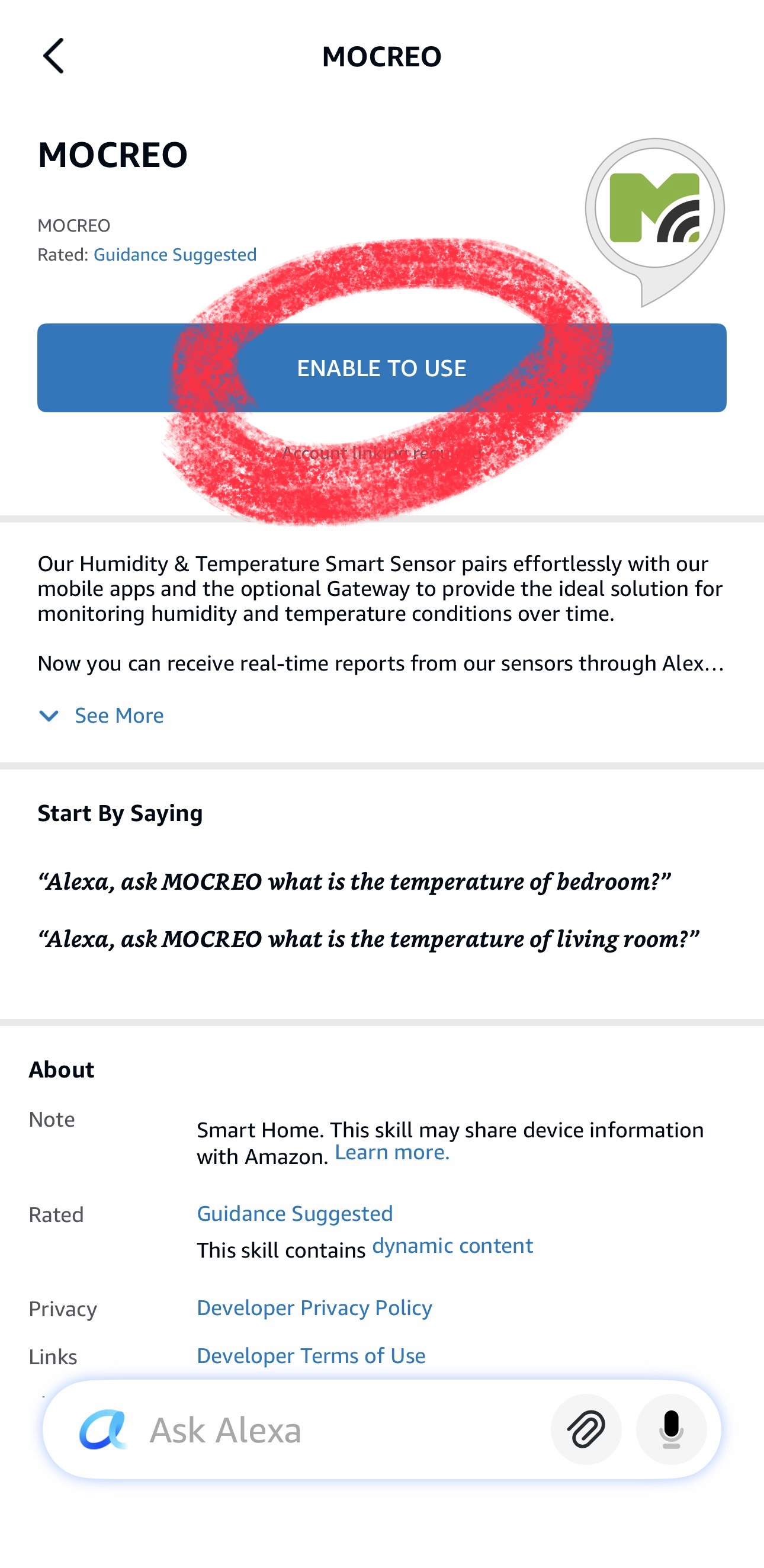
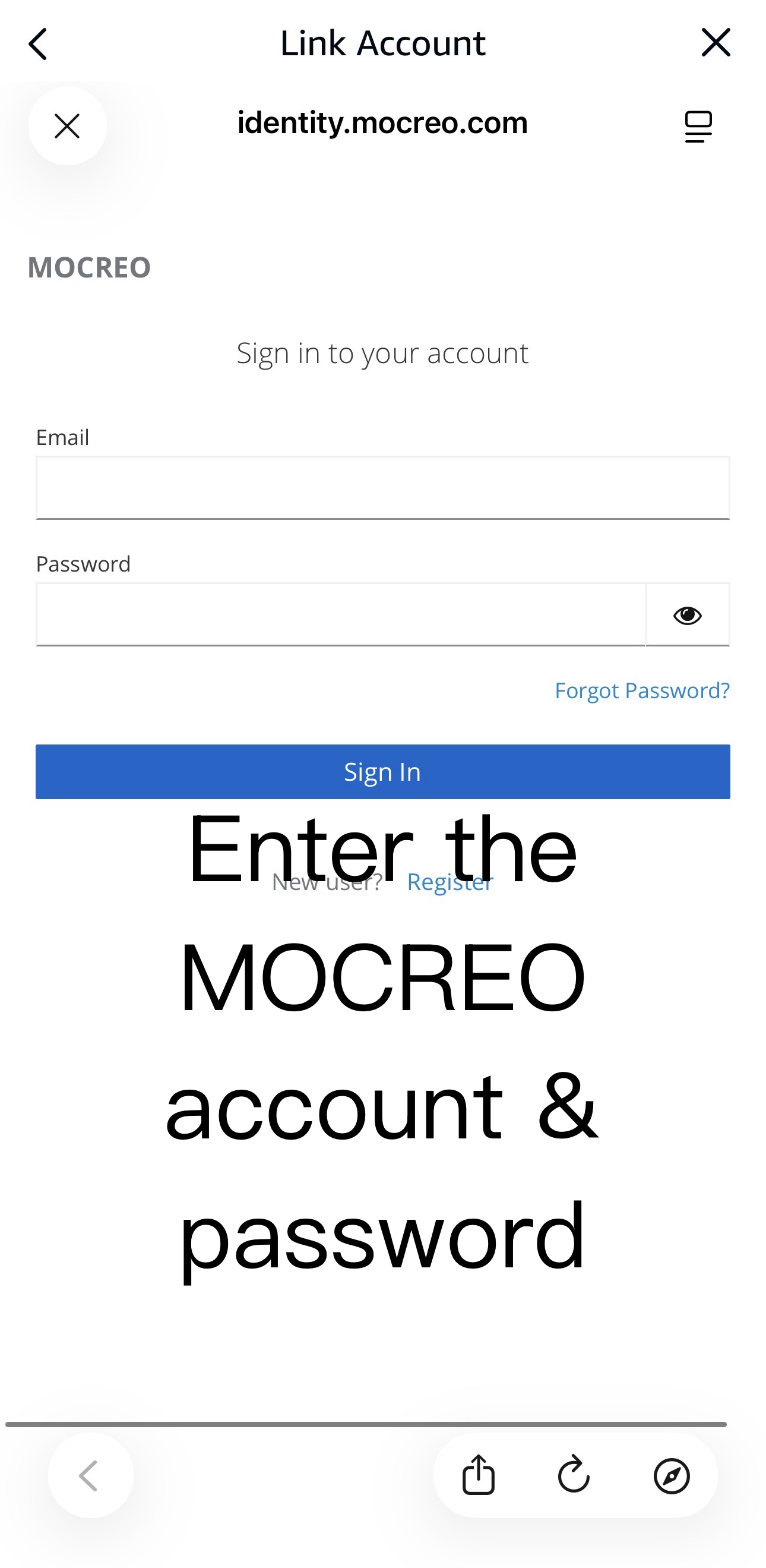
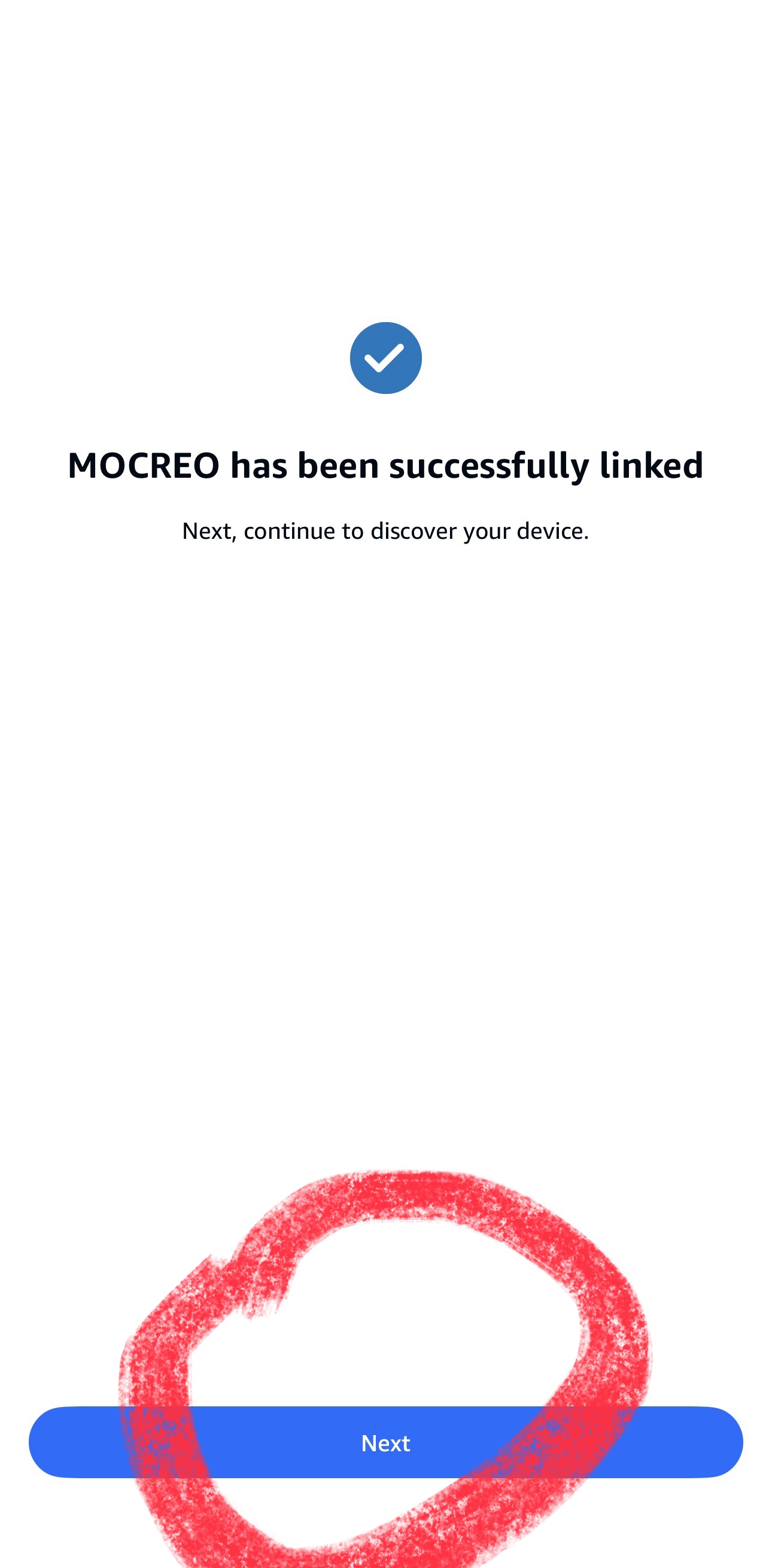
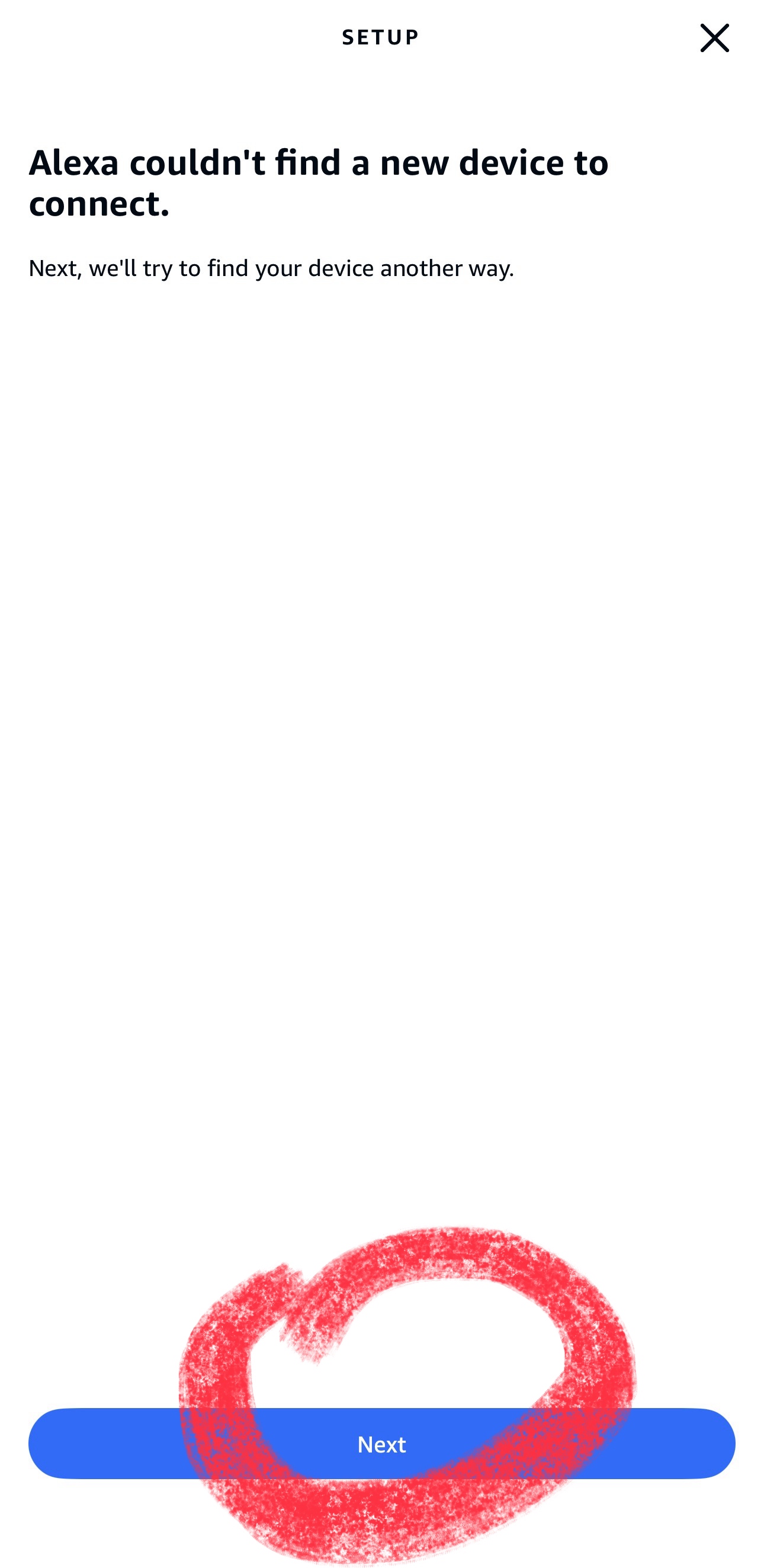
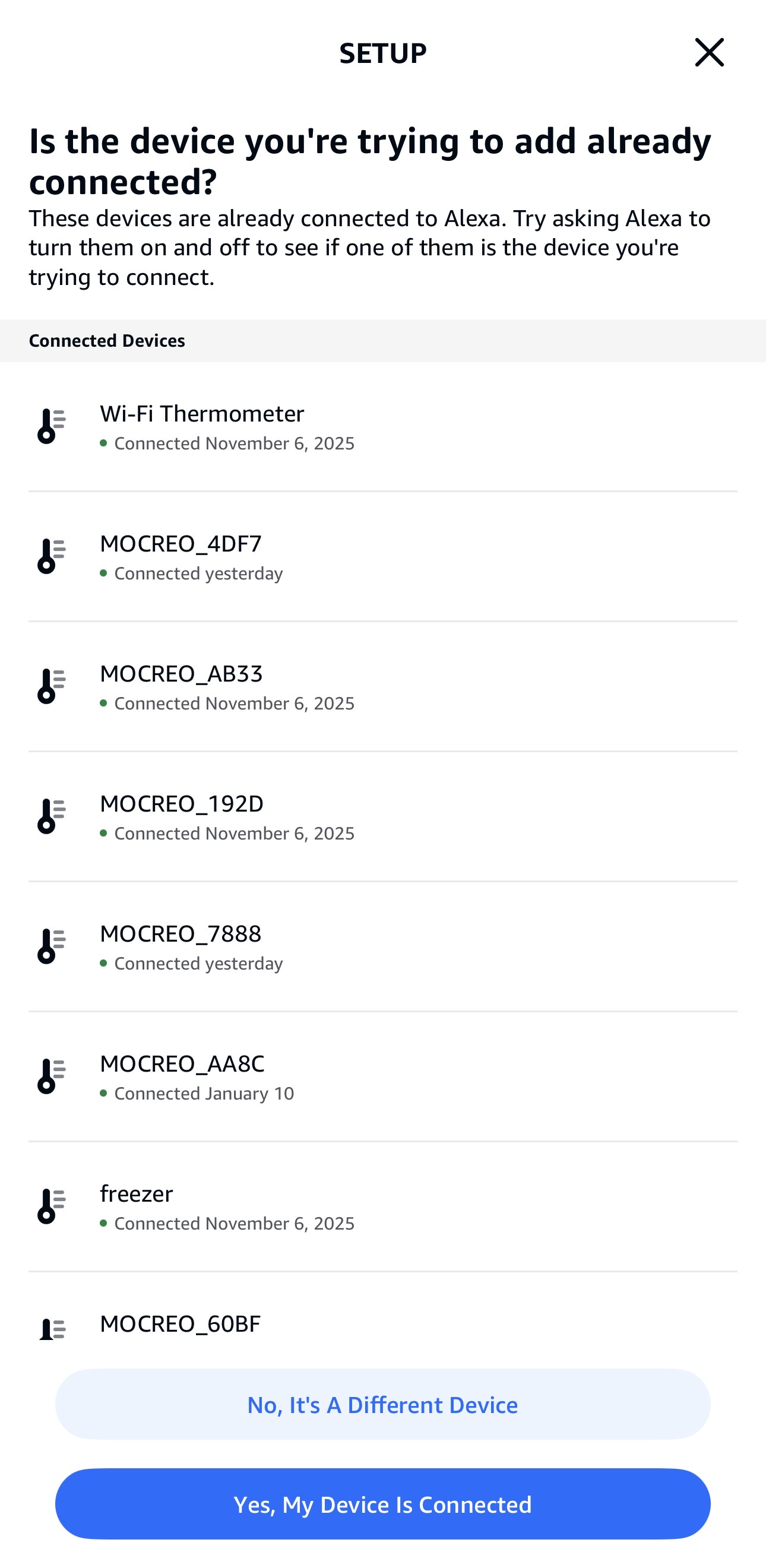
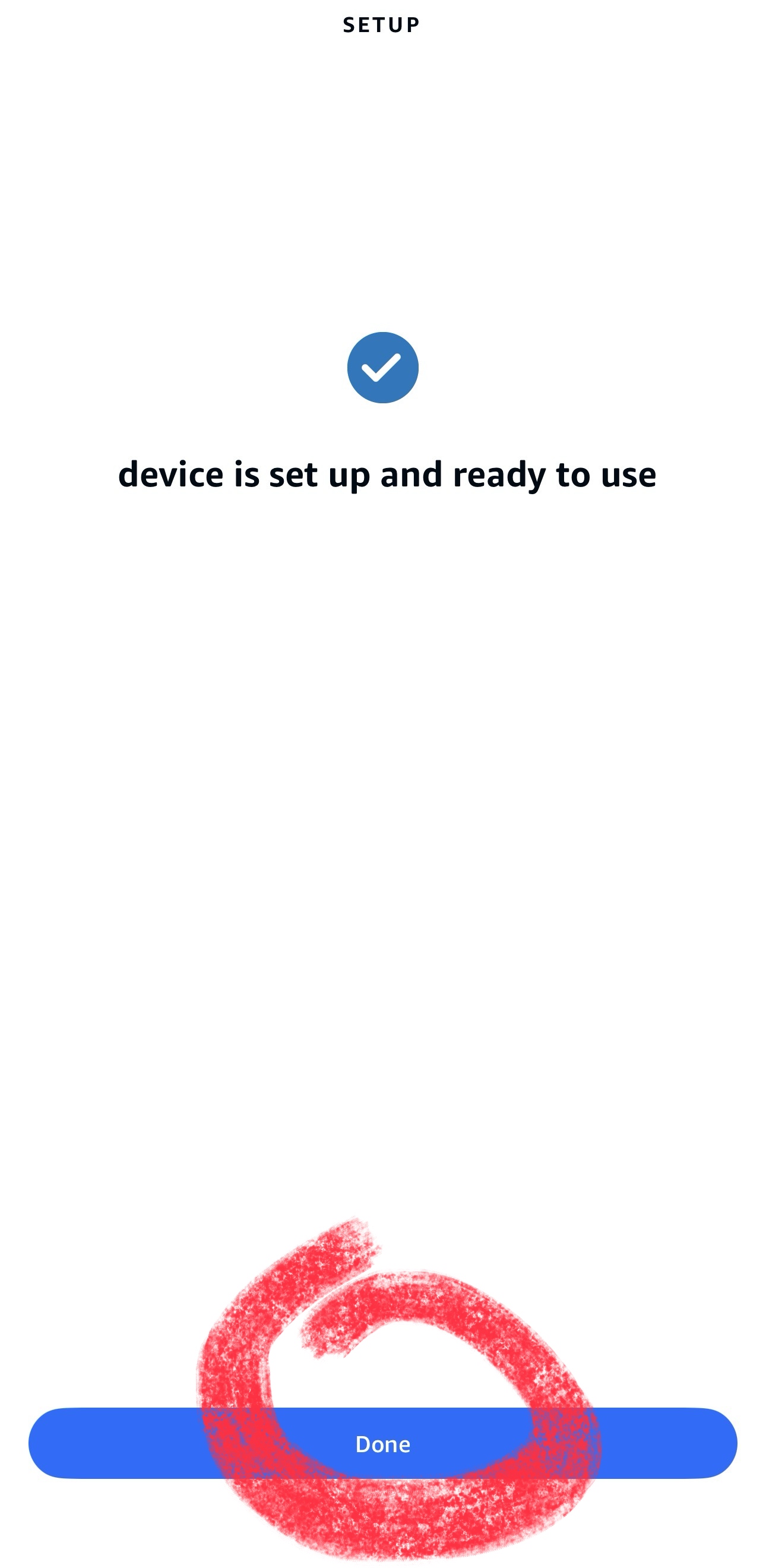
Follow the visual guide below to link your MOCREO account with Alexa:
- Open the MOCREO Smart App and navigate to Profile > Connect to Amazon Alexa.
- Select Alexa and follow the step-by-step instructions shown in the screenshots below:
Supported Voice Commands
Once linked, you can use the following specific voice commands to check your sensor temperature.
Note: You must use the exact phrases below. Other variations are currently not supported.
- "Alexa, ask MOCREO what is the temperature of bedroom?"
- "Alexa, ask MOCREO what is the temperature of living room?"
(Replace "bedroom" or "living room" with the specific name you have assigned to your sensor in the MOCREO Smart App.)