Router Rebooter - What are the functions of NM1?
Contact Support:align: center :width: 450px :height: 450px
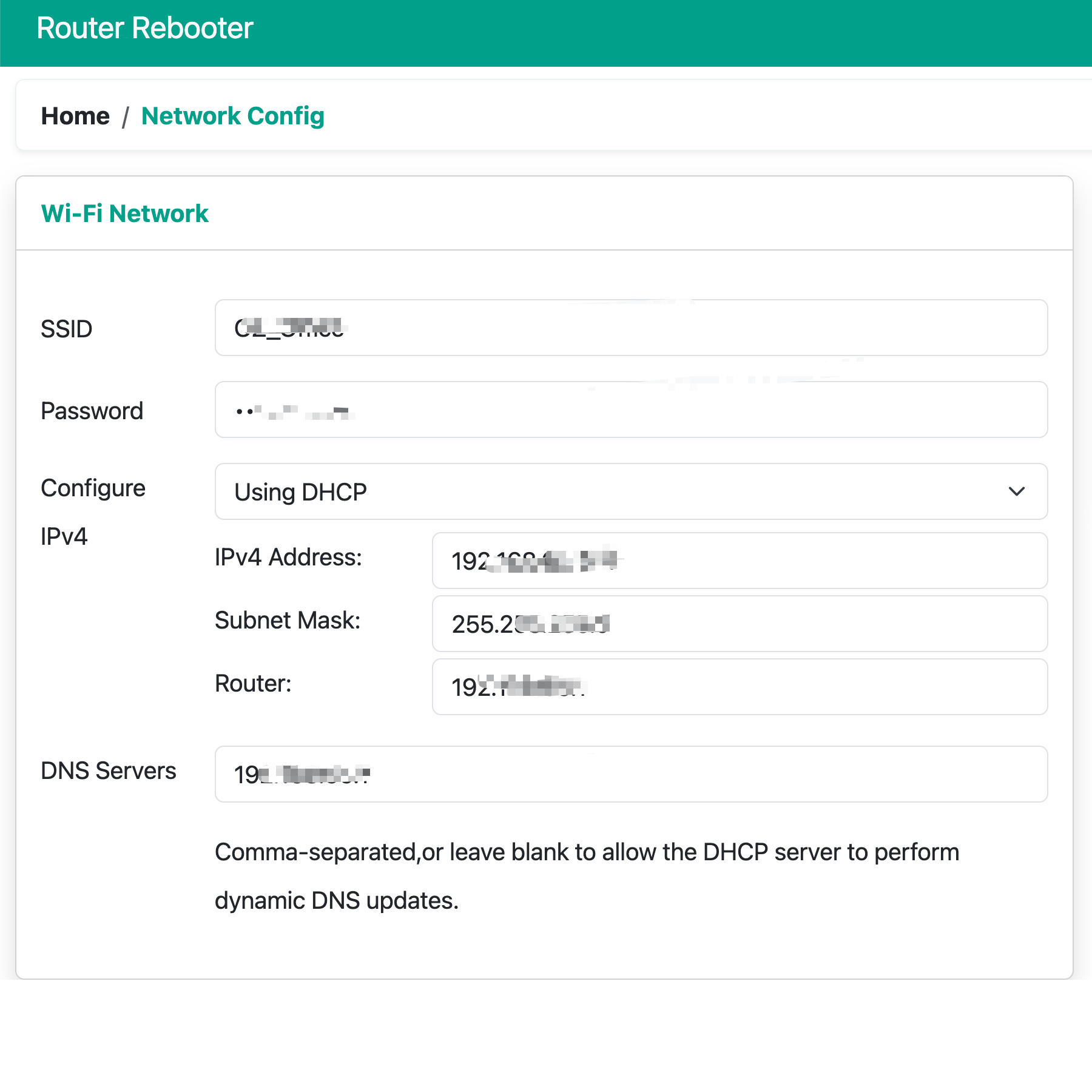
Wi-Fi Network
To view detailed configuration information for the currently connected Wi-Fi network, in order to understand the network settings of the device. (Cannot be modified)
 :align: center
:width: 450px
:height: 450px
:align: center
:width: 450px
:height: 450px
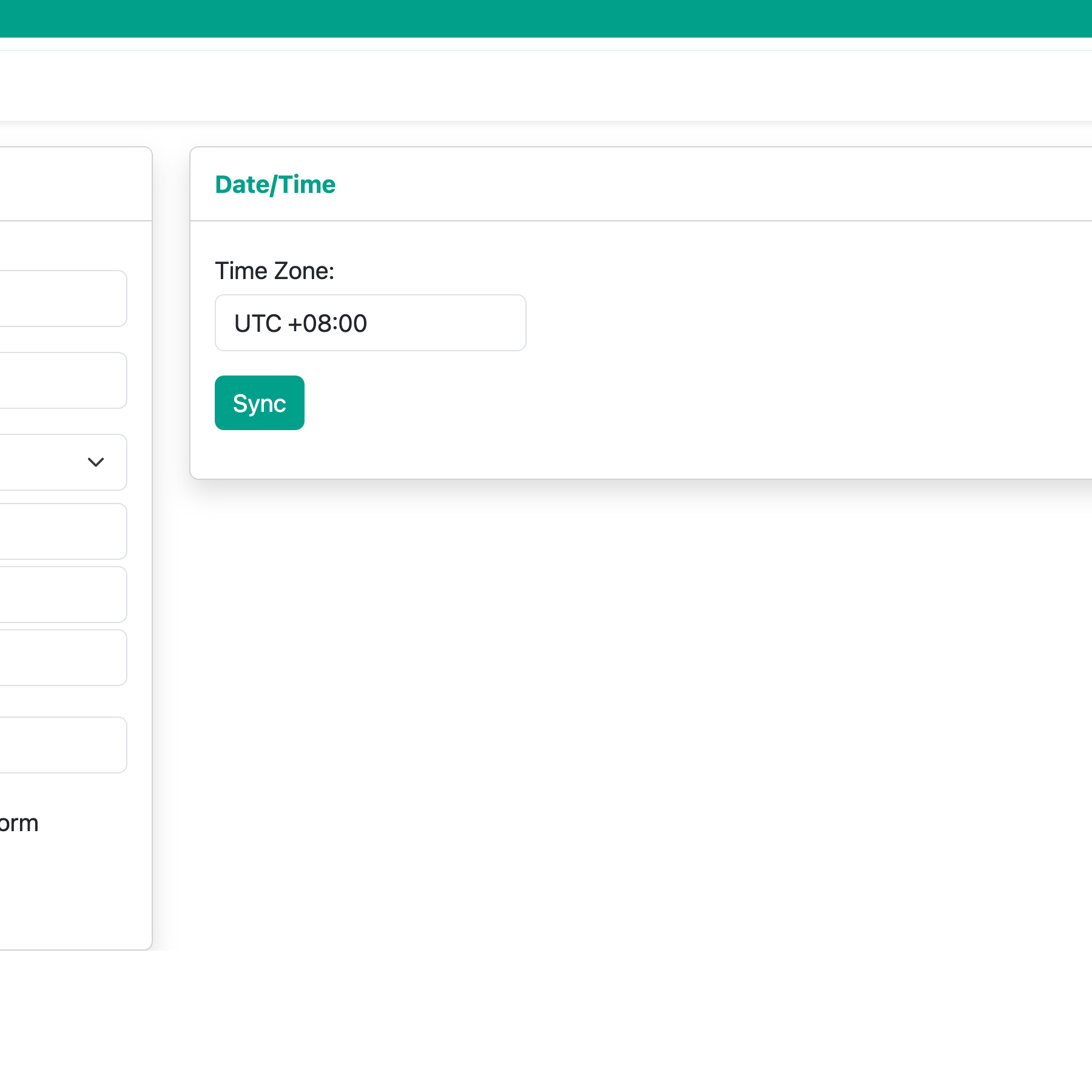
Date/Time
Set the correct time zone information based on your current geographical location.
 :align: center
:width: 450px
:height: 450px
:align: center
:width: 450px
:height: 450px
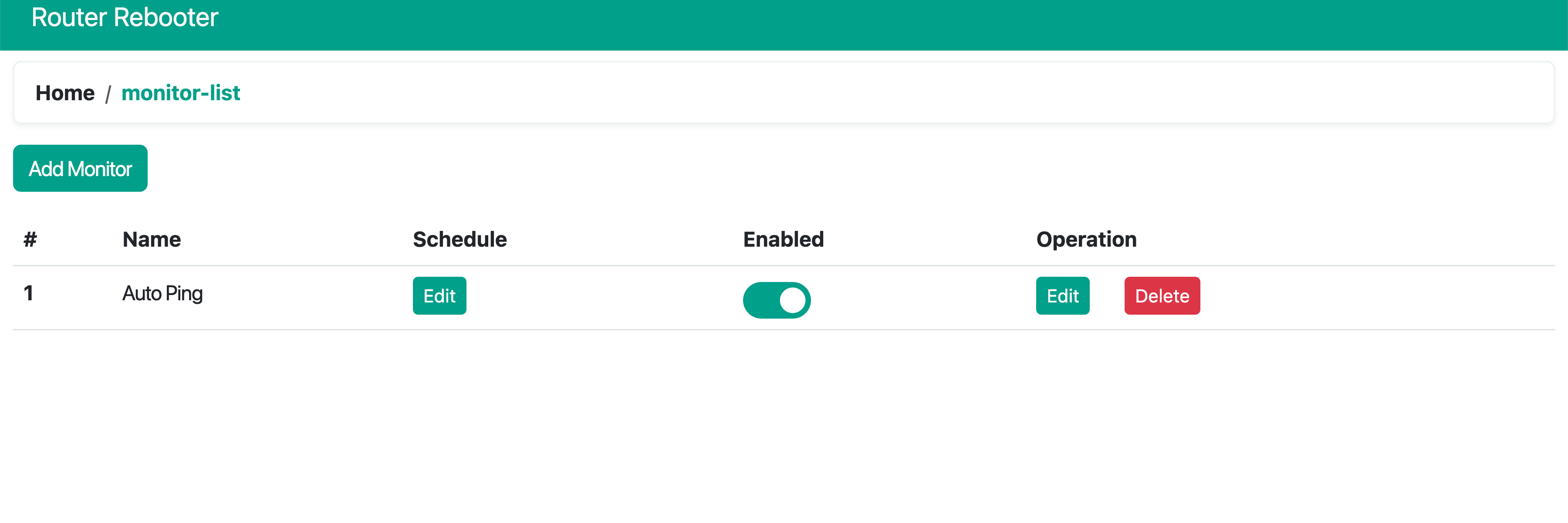
Monitor List
Manage the Auto Ping list ++++++++++++++++++++++++++++++++++++++++++++++++++++++++++++++++++++
- Add Monitor >>> Button to add Auto Ping
- Name >>> Name of Auto Ping
- Schedule >>> Management of working hours for Auto Ping
- Enabled >>> Toggle to enable/disable Auto Ping
- Operation >>> Edit details of Auto Ping
- Delete >>> Delete Auto Ping
 :align: center
:width: 450px
:height: 150px
:align: center
:width: 450px
:height: 150px
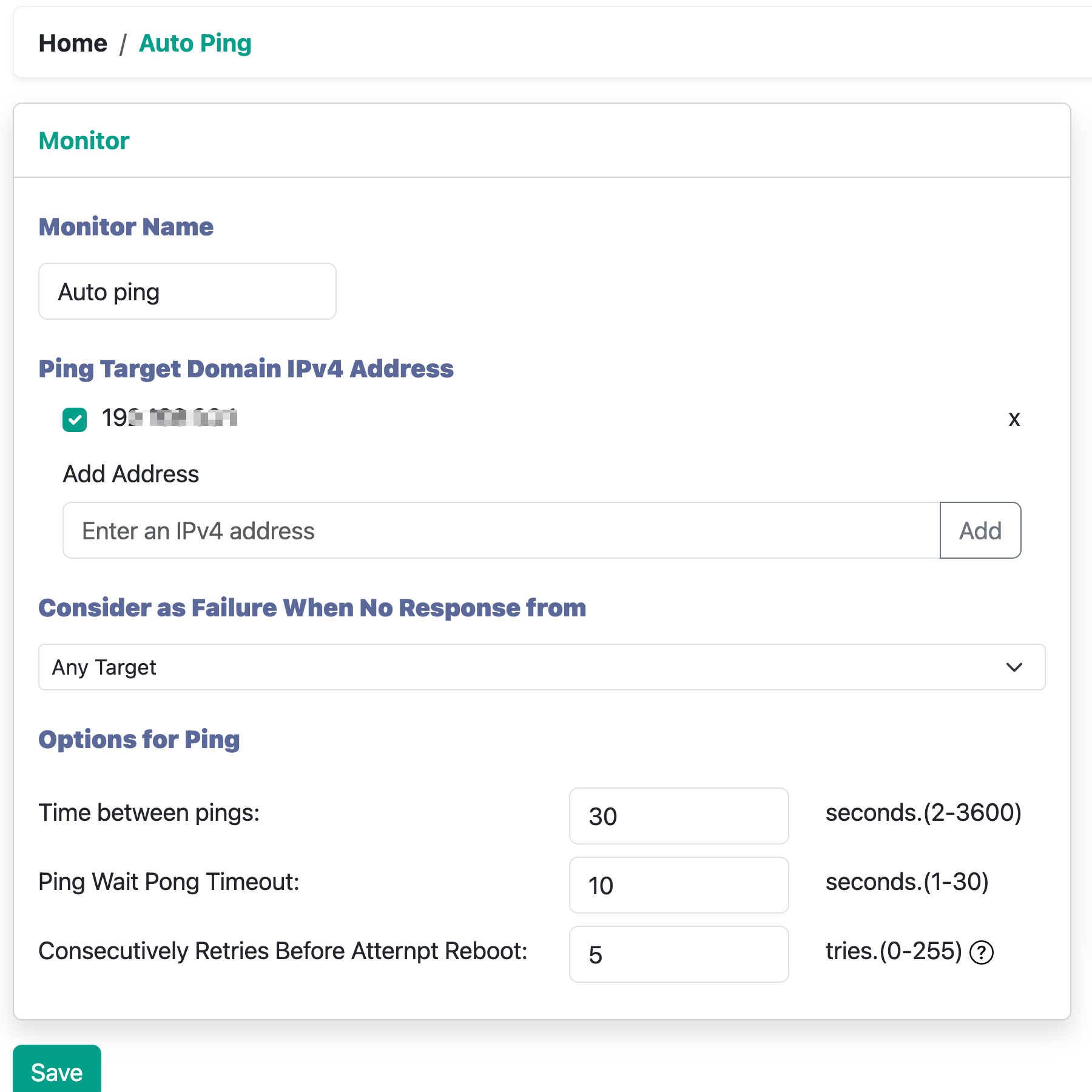
Ping Target Domain IPv4 Address ++++++++++++++++++++++++++++++++++++++++++++++++++++++++++
- Manage IPv4/URL
- Add IPv4/URL
Consider as Failure When No Response from +++++++++++++++++++++++++++++++++++++++++++++++++++++++++++++++++++++++++
- Manage failure conditions when pinging IPv4, divided into Any Target and All Target
- Any Target >>> Failure condition triggered when all targets fail
- All Target >>> Failure condition triggered when any target fails
- If only one IPv4 address needs to be pinged, this rule does not need to be specifically set
Options for Ping ++++++++++++++++++++++++++++++++++++++++++++++++++++++++++++++++++++++++++++
- Time between pings: Interval between each round of Ping operations
- Ping Wait Pong Timeout: Timeout for waiting for a response during Ping operations
- Consecutively Retries Before Attempt Reboot: Number of retries before attempting a reboot
 :align: center
:width: 450px
:height: 450px
:align: center
:width: 450px
:height: 450px
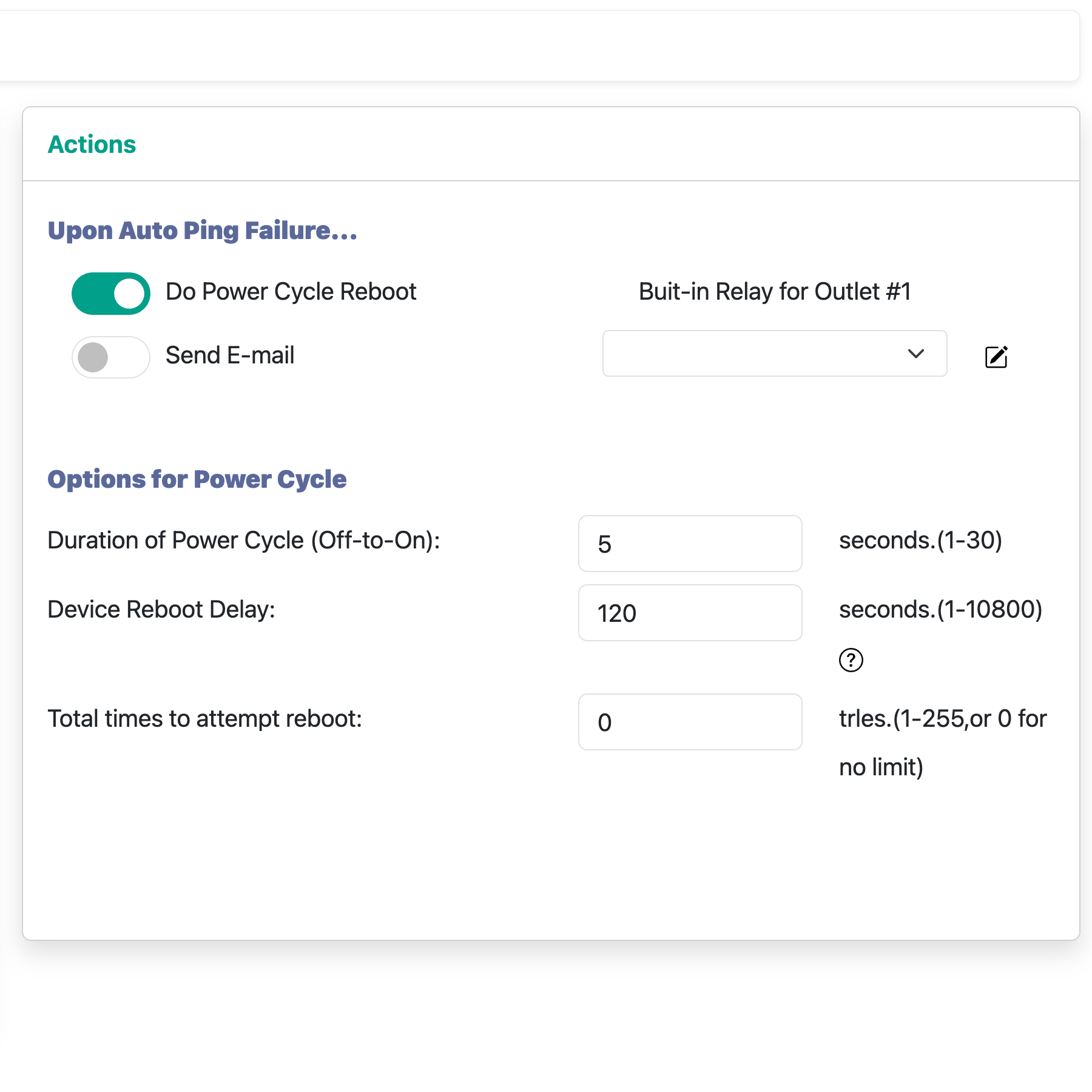
Upon Auto Ping Failure... ++++++++++++++++++++++++++++++++++++++++++++++++++++++++++++++++++++++++++++++
- Do Power Cycle Reboot: Power socket to reboot when Ping operation fails
- Send E-mail: Notification via email when Ping operation fails
Options for Power Cycle ++++++++++++++++++++++++++++++++++++++++++++++++++++++++++++++++++++++++++++++++++
- Duration of Power Cycle (Off-to-On): Duration of the power socket's on-off cycle when Ping operation fails
- Device Reboot Delay: Delay in waiting for the power socket to reboot when Ping operation fails
- Total times to attempt reboot: Maximum number of reboot attempts when Ping operation fails
 :align: center
:width: 450px
:height: 450px
:align: center
:width: 450px
:height: 450px
Built-in Outlet
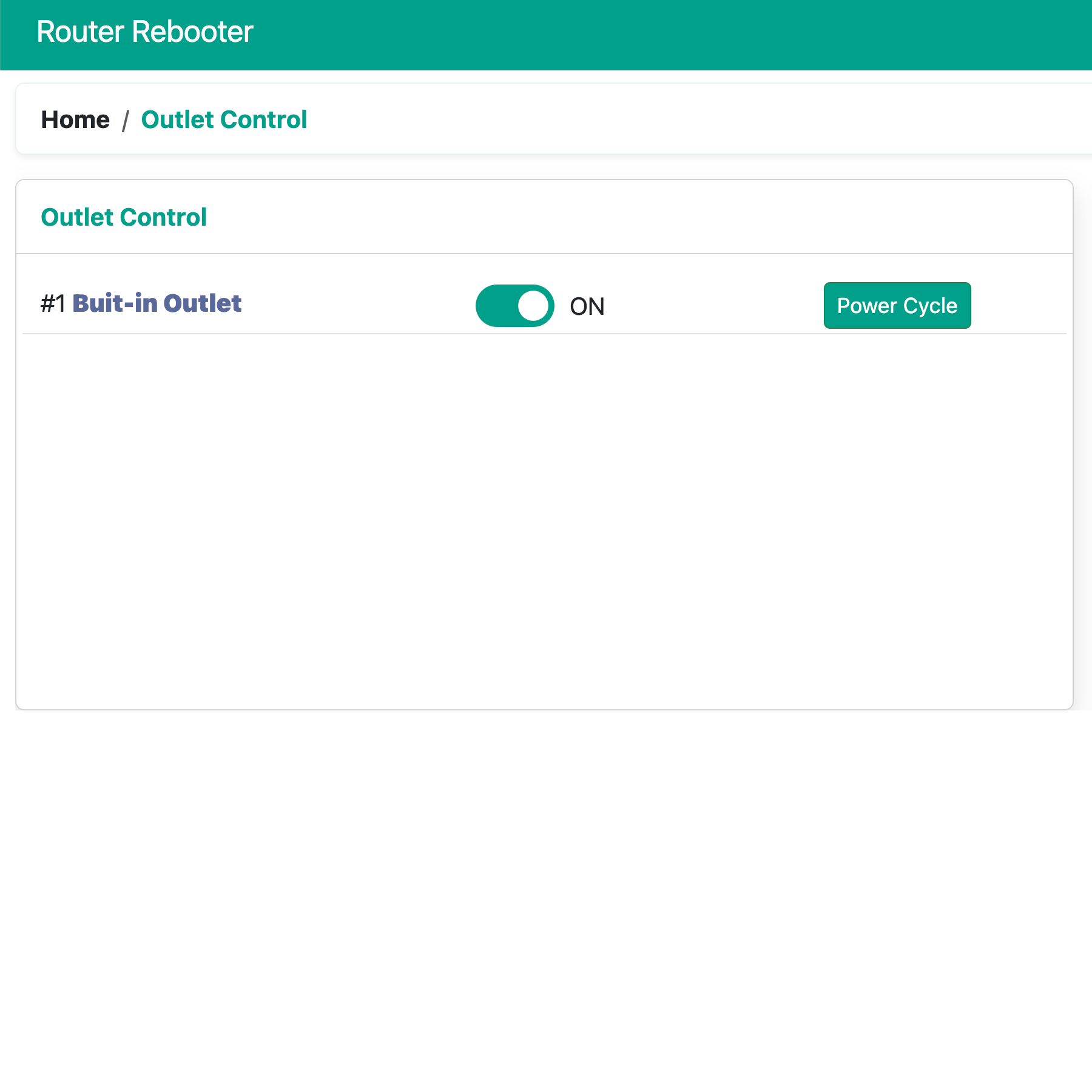
Outlet Control +++++++++++++++++++++++++++++++++++++++++++++++++++++
- Click the button to control the current state
- Power Cycle: Perform one relay reboot operation
 :align: center
:width: 450px
:height: 450px
:align: center
:width: 450px
:height: 450px
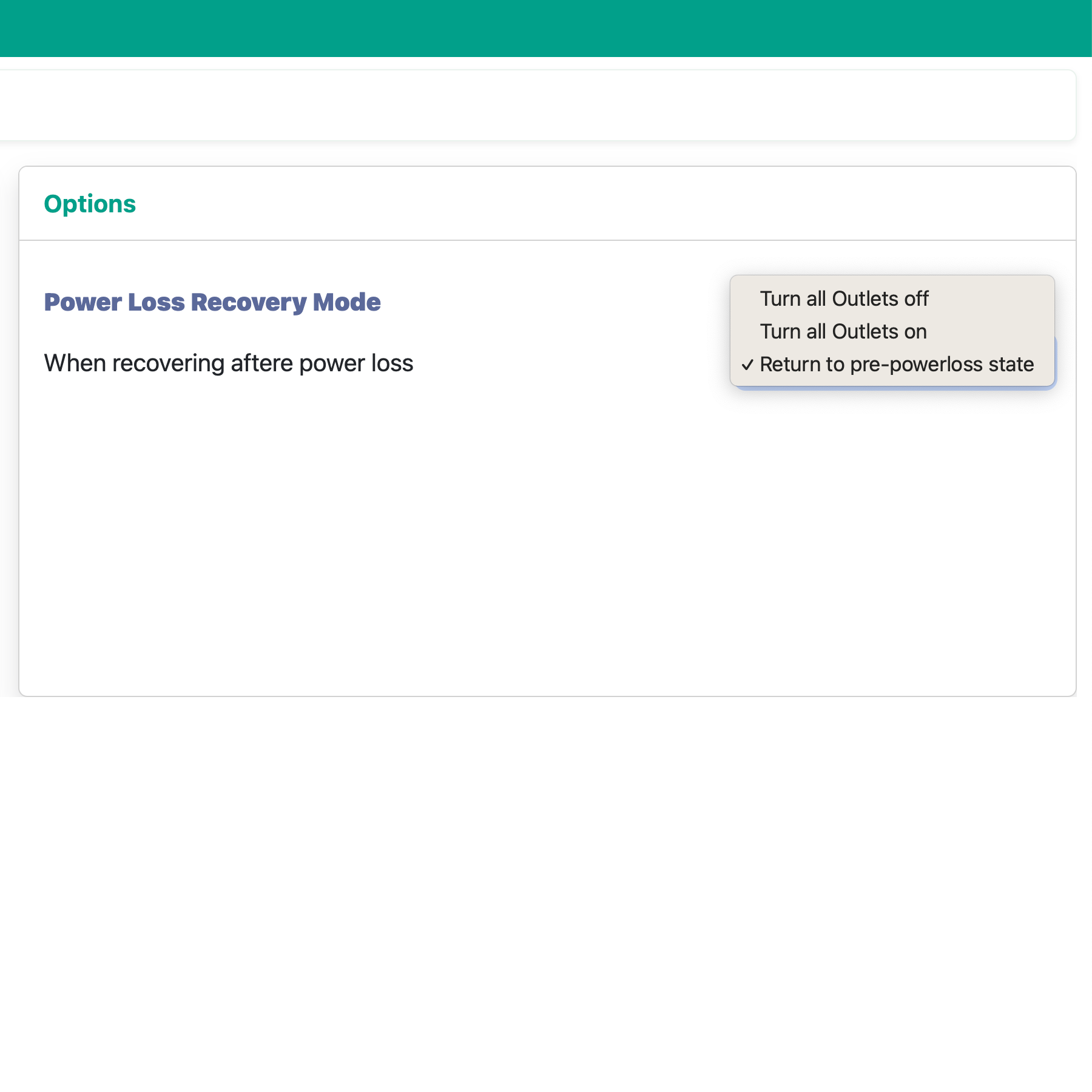
Power Loss Recovery Mode ++++++++++++++++++++++++++++++++++++++++++++++++++++++++++++++++
- Turn all Outlets off: The relay is always in the off state after each reboot
- Turn all Outlets on: The relay is always in the on state after each reboot
- Return to pre-power loss state: The relay returns to the state before the power loss
 :align: center
:width: 450px
:height: 450px
:align: center
:width: 450px
:height: 450px
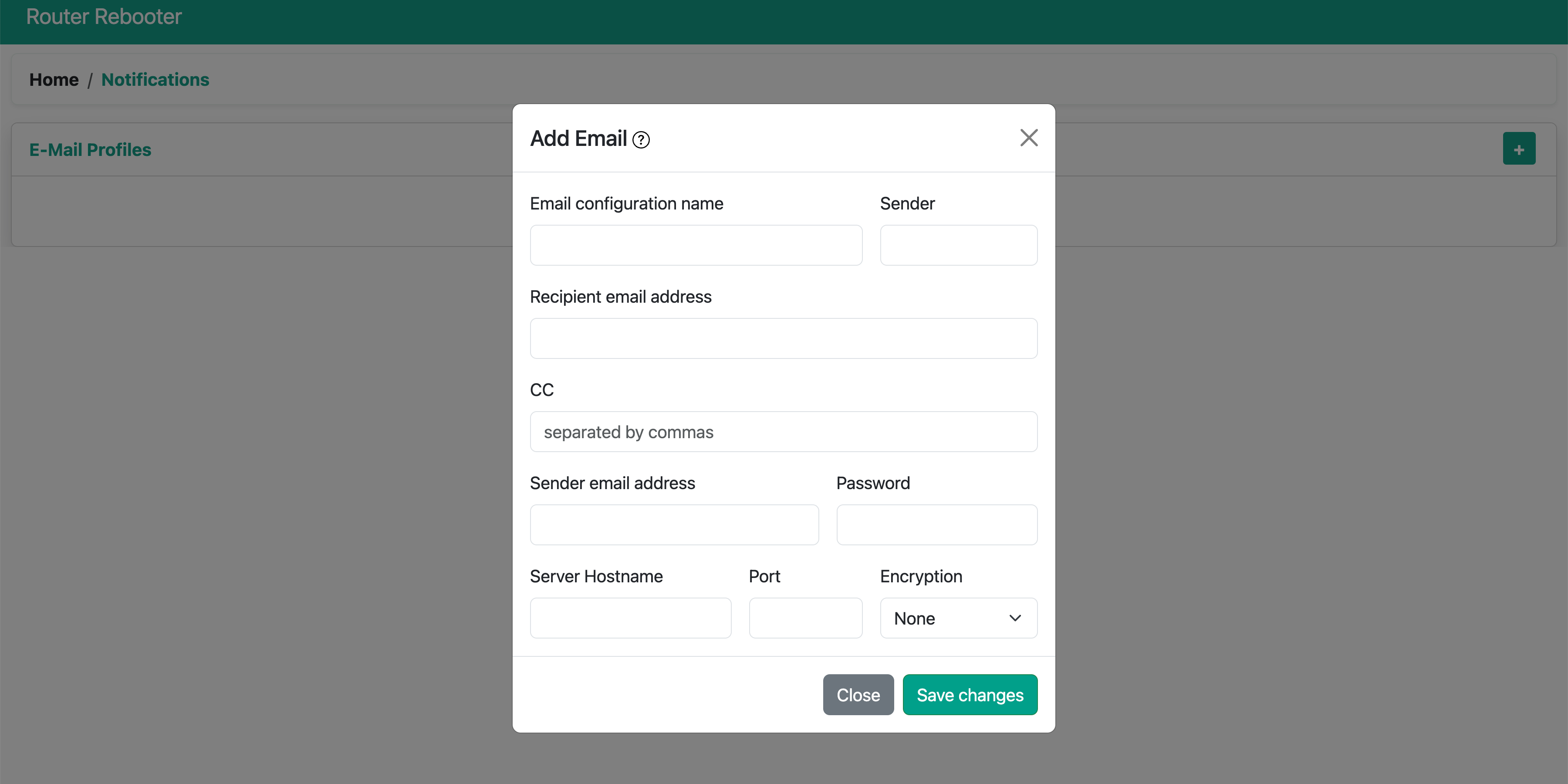
Notifications
- Configure email. For mailbox configuration, see Remote Alert Mailbox Configuration Method.
 :align: center
:width: 450px
:height: 225px
:align: center
:width: 450px
:height: 225px