Inaccurate Sensor Readings
Contact SupportTroubleshoot Smart System temperature and humidity differences, including cold-storage spikes and warming patterns.
Use this guide when a Sensor's temperature or humidity reading looks inaccurate, or when a cold-storage temperature shows short spikes or repeatedly triggers alerts. If the App also shows the Sensor offline, low battery, or probe disconnected, resolve that warning first.
Visual troubleshooting flowchart
Click to expand the temperature troubleshooting flowchart
Troubleshooting steps
- Review the history, not one reading. A refrigerator display may show its set point or a reading from another location. Compare readings taken at the same time and place. Do not judge a Sensor faulty from its difference with a household thermometer, another brand's device, or the appliance's own display; these use different sensing methods and accuracy. Use the same-model side-by-side test in step 4 instead.
- Match the pattern. A regular rise followed by recovery often matches automatic defrost or normal compressor cycling. An irregular rise may follow a door opening, warm air entering, or an appliance problem.
- Improve probe placement. Keep the probe away from cooling coils, vents, door edges, direct defrost heat, and warm-air entry. Put comparison probes together and make sure the cable does not prevent the door from sealing.
- Run a side-by-side test. Place two uncalibrated Sensors of the same MOCREO model together for 24-48 hours. If their curves agree, the original difference was likely caused by location, timing, or the comparison method. If one clearly differs, contact support.
- Adjust only a confirmed fixed offset. Use the Smart App calibration or compensation setting only when a check against a calibrated reference instrument confirms a consistent offset. Do not use compensation to hide changing environmental patterns.
Except for LS1, keep the Sensor body outside low-temperature or high-humidity storage when the model supports an external probe. Place only the probe inside. See Best Deployment Practices.
Optional checks at home
These checks can reveal a problem at one temperature or humidity point. They do not verify accuracy across the Sensor's full range or replace a comparison with a calibrated reference instrument.
- Temperature (immersion-rated probes only): Fill an insulated container with crushed ice and just enough clean water to fill the gaps. Keep plenty of ice in the container. Place only the probe tip in the ice-water mixture, away from the container walls and bottom. Once the reading stabilizes, compare it with 32°F (0°C) and the model's stated accuracy at that temperature. Do not immerse a Sensor body, connector, or probe unless its specifications allow it. See NIST's ice-point verification guide.
- Humidity (models that measure relative humidity only): Put a small dish of table salt in an airtight container. Add a little water so the salt is damp but some solid salt remains visible. Place the Sensor or humidity probe above the dish without touching the salt or liquid. Seal the container and keep it at a steady room temperature, away from sunlight, until the reading stops drifting; this can take several hours. Saturated sodium chloride produces about 75% RH near 77°F (25°C). Compare the stable reading with the model's humidity accuracy, allowing for temperature and home-setup variation. See ASTM E104 and Vaisala's saturated-salt guidance.
The saturated-salt setup above checks humidity in the air above the solution; it does not buffer a refrigerator probe's temperature reading. Salt solution can also provide thermal mass, but direct liquid buffering requires a probe rated for immersion and a separate sealed setup. Liquid immersion is not specified for the MS2 probe, so do not put it in the solution. A buffered reading responds more slowly to brief air-temperature changes; it does not verify Sensor accuracy. See CDC guidance on buffered temperature probes.
Do not change compensation from a single home-check result. If the difference remains large, contact support with the test conditions and readings.
Common history patterns
Automatic defrost
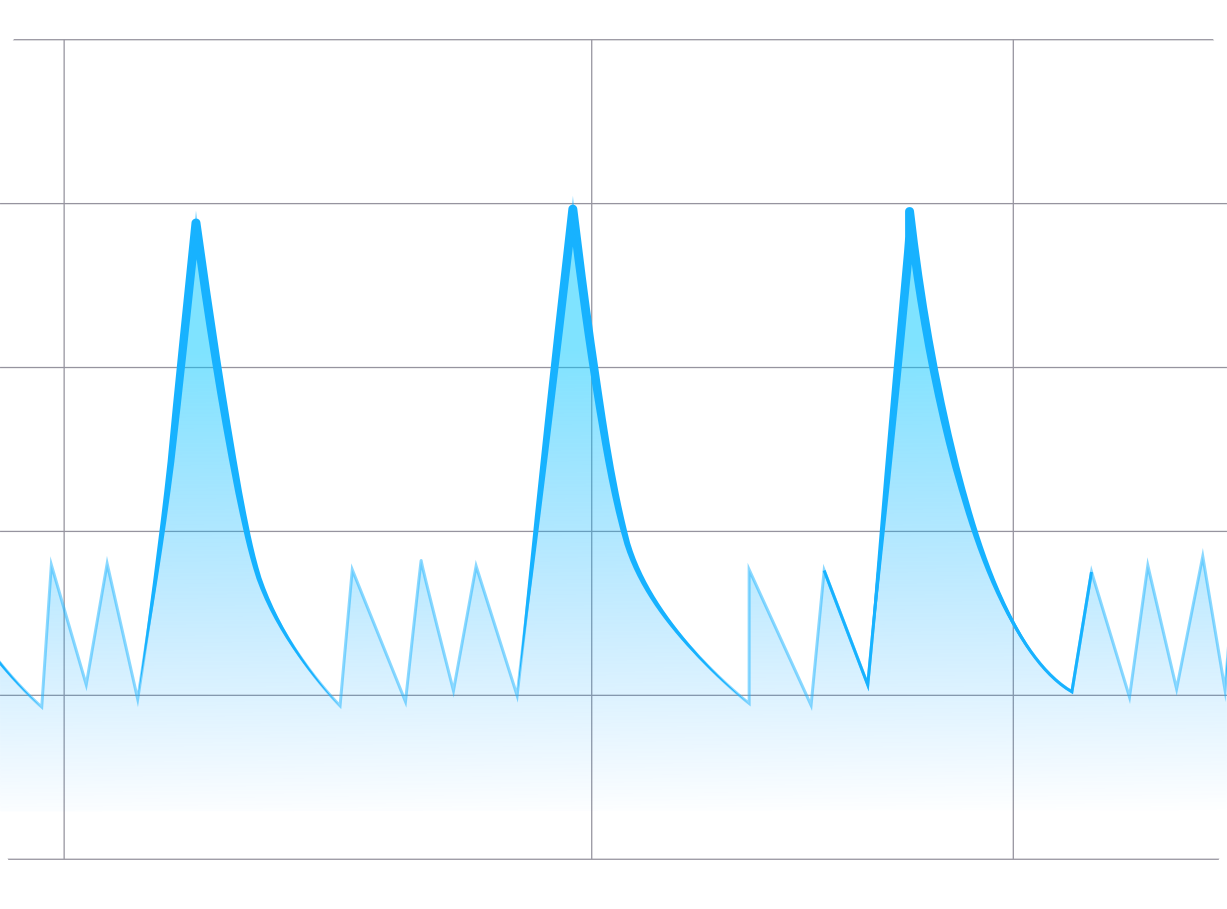
A short temperature rise followed by recovery can occur while the appliance melts frost.
Compressor cycling
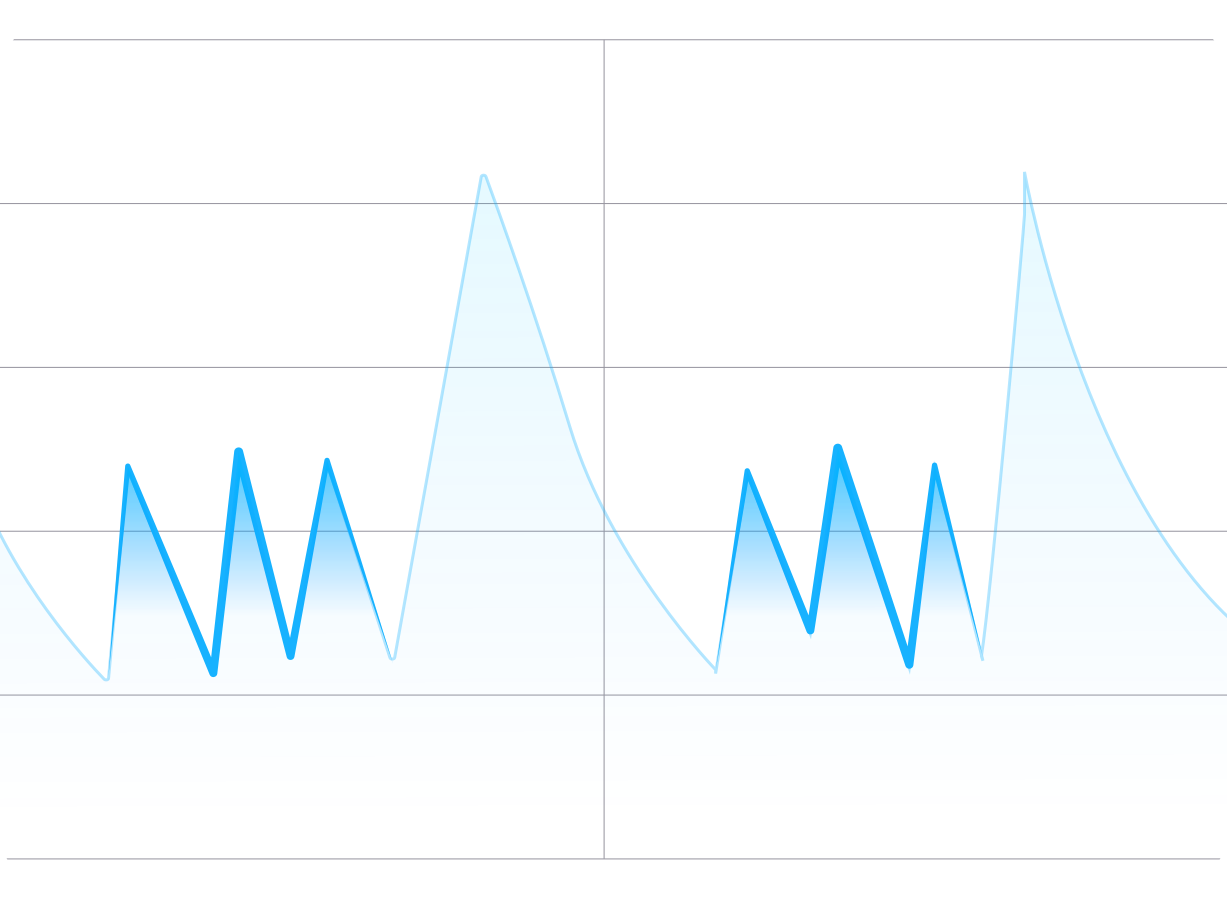
A repeating rise-and-fall pattern can occur as the cooling system turns on and off.
Irregular changes
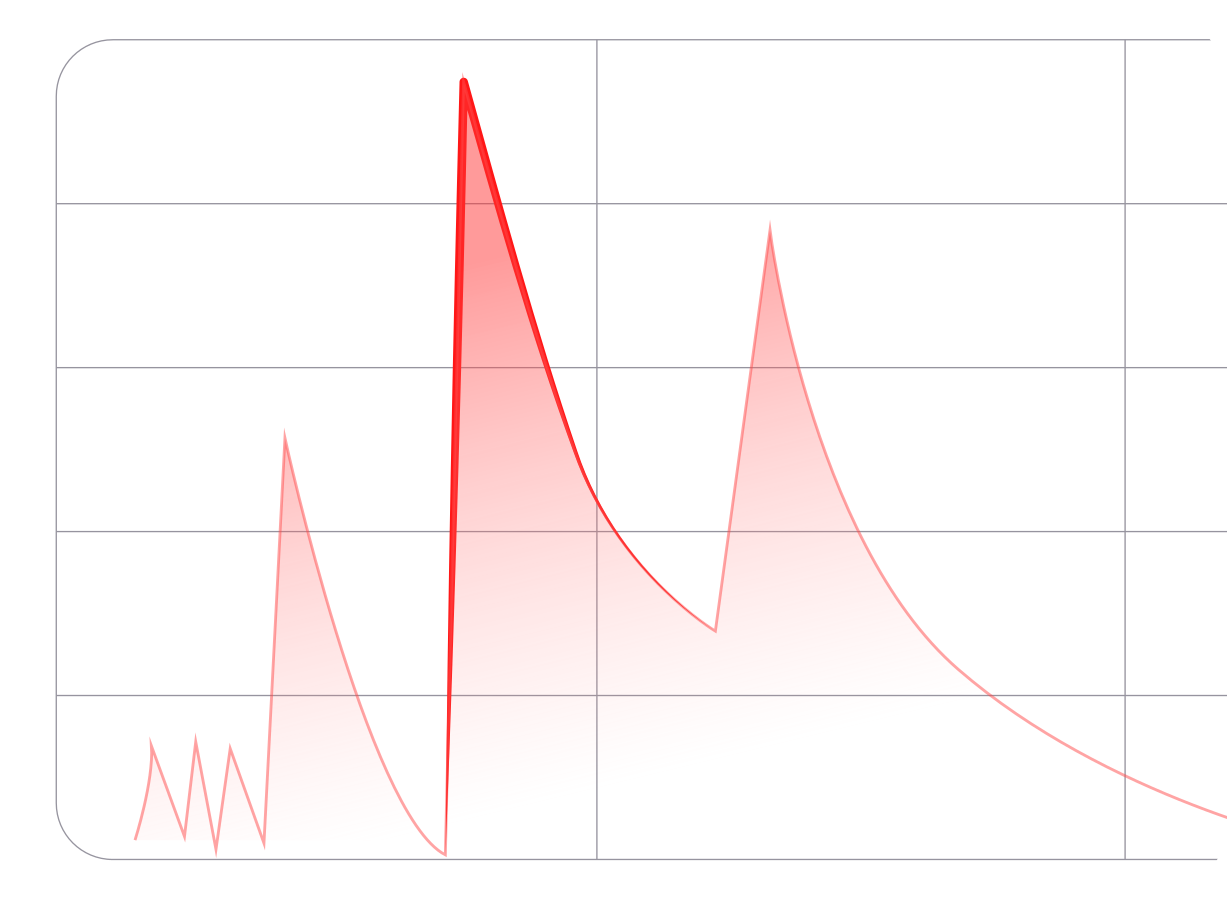
Check door openings, warm airflow, probe placement, and the appliance when changes do not follow the usual cycle.
If normal cycles briefly cross an alert limit, change the limit or the Anti-False Alarm delay only when the new setting still meets the storage requirements. For unresolved differences, send support both Sensor SNs, the affected history, and photos of the Sensor or probe placement.