H5Pro
H5Pro's addition and installation deployment.
- Here, you can find guidance on the addition and installation deployment of H5Pro.
What Should I Prepare?
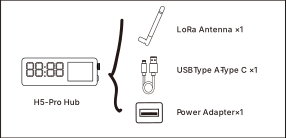
You need to prepare the items shown in the image below to ensure that the H5Pro can successfully complete the setup process.
H5Pro Main Unit and Accessories
How to Mount It?
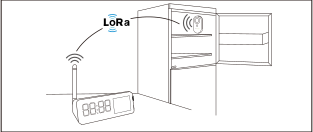
We offer two mounting methods:
How to Set It Up?
Download MOCREO Smart App
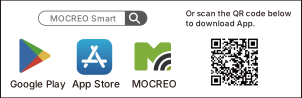
You may visit the App Store or Google Play to search for MOCREO Smart or scan the QR code below to download the app.
Authorization
You need to go to the system settings page to grant the following permissions to the MOCREO Smart App to ensure that the device can be added properly and the related functions can be used normally.
Add H5Pro
Power your H5Pro with the matching power adapter and power cord. Follow the steps prompted by the app to complete the H5Pro addition process.
Note: If you encounter any issues during the Hub setup process, please provide the error messages you see on the H5Pro and the app, and visit https://mocreo.com/service for further support and help.